AI-powered construction closeout

The fastest way to complete project closeout.

From walkthrough to punch list in minutes. CloseoutIQ turns a phone walkthrough into a structured, evidence-backed deficiency list — assign it to your GC for free and approve fixes with proof, so retainage and final draws release on time.

The problem

Closeout is where the money gets stuck.

The build is finished, but the last 5% drags for weeks — and that's the 5% that holds up your retainage, your final draw, and your certificate of occupancy. Most of that time is admin: compiling the list, typing it up, and chasing the GC.

Hours lost to admin busywork

After every walk you re-watch videos, type each item into a spreadsheet, organize it by unit and trade, and email it to the GC. It's hours of manual compiling per walkthrough — repeated every revisit. CloseoutIQ does it automatically, saving a huge amount of admin time.

The punch list lives in ten places

Items are scattered across texts, emails, a spreadsheet, and your camera roll. Nothing is in one place, so things fall through the cracks and nobody's sure what's actually left.

“It's done” — with no proof

The GC and subs say an item is closed, but there's nothing to back it up. You end up driving to the site to verify every fix yourself, even when you aren't there daily.

Holdbacks stay frozen for weeks

Retainage and the final draw stay locked because nobody can prove the remaining items are genuinely fixed. Cash you're owed sits idle while closeout slips.

No accountability trail

Who was assigned, when it was due, how many days late — none of it is recorded. When there's a dispute over a holdback, you have nothing in writing to stand on.
How it works

Walk it once. Assign it free. Approve with proof.

Three steps from a messy walkthrough to a closed-out, evidence-backed punch list.

01 / Walk

Walk it once on video

Record a walkthrough on your phone. CloseoutIQ's AI turns it into a structured deficiency list — each item tagged with location, trade, and a due date. No typing up a spreadsheet afterward.

02 / Assign

Assign to the GC — free for them

Your GC and subs get a free guest link. They see only their assigned items, comment, and upload completion photos or video. No app to download, no seat to buy.

03 / Approve

Approve with proof

AI compares the completion media to the original evidence and recommends close, reject, or review. You make the final call — faster closeout, protected holdbacks, and a clean paper trail.

See it

One place for the whole closeout.

From capture, to a live board, to a free GC hand-off, to the final report — here's what you actually get.

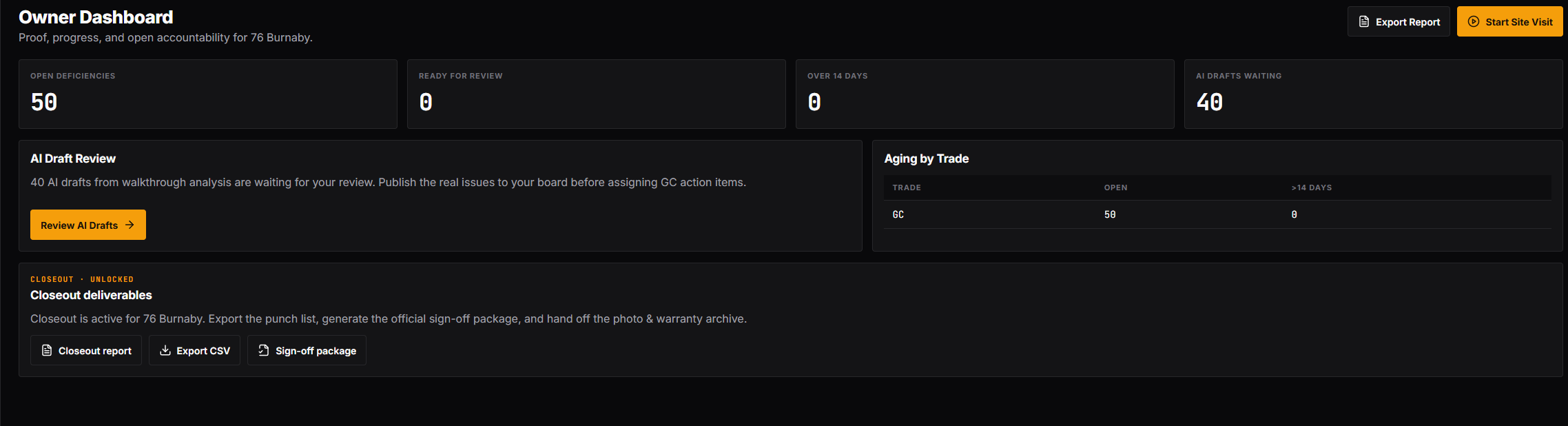
Owner dashboard
Owner dashboardProof, progress, and open accountability for the whole property at a glance.
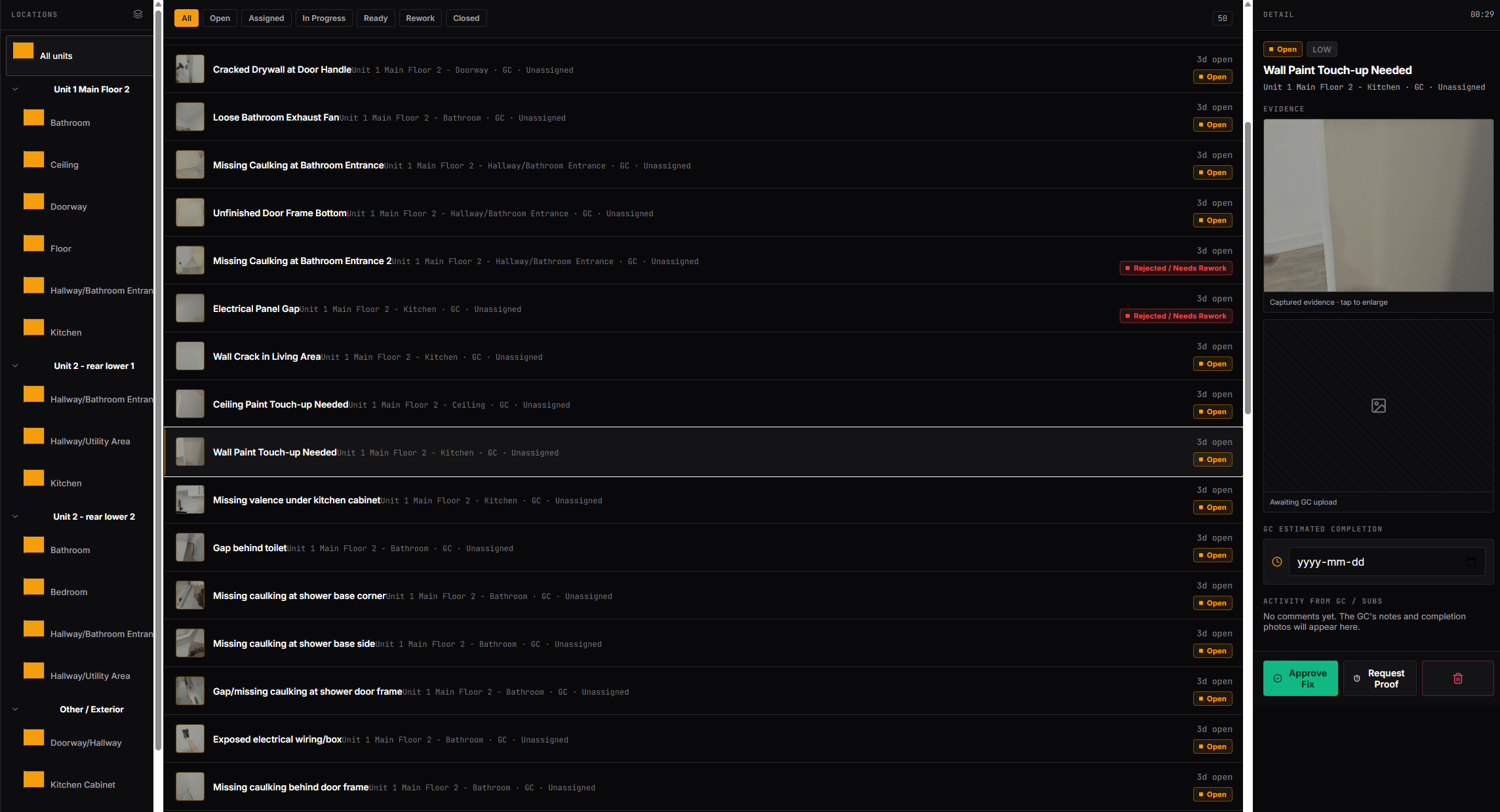
Deficiency board
Deficiency boardEvery item grouped by unit, location, and trade — each with its evidence photo.
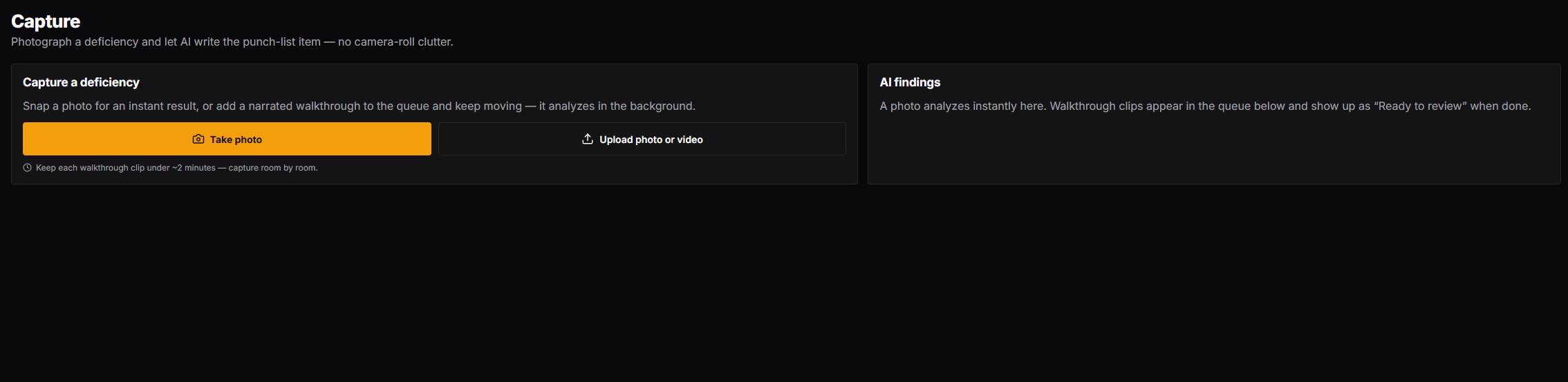
Capture
CaptureSnap a photo or record a walkthrough; AI writes the structured punch-list item.
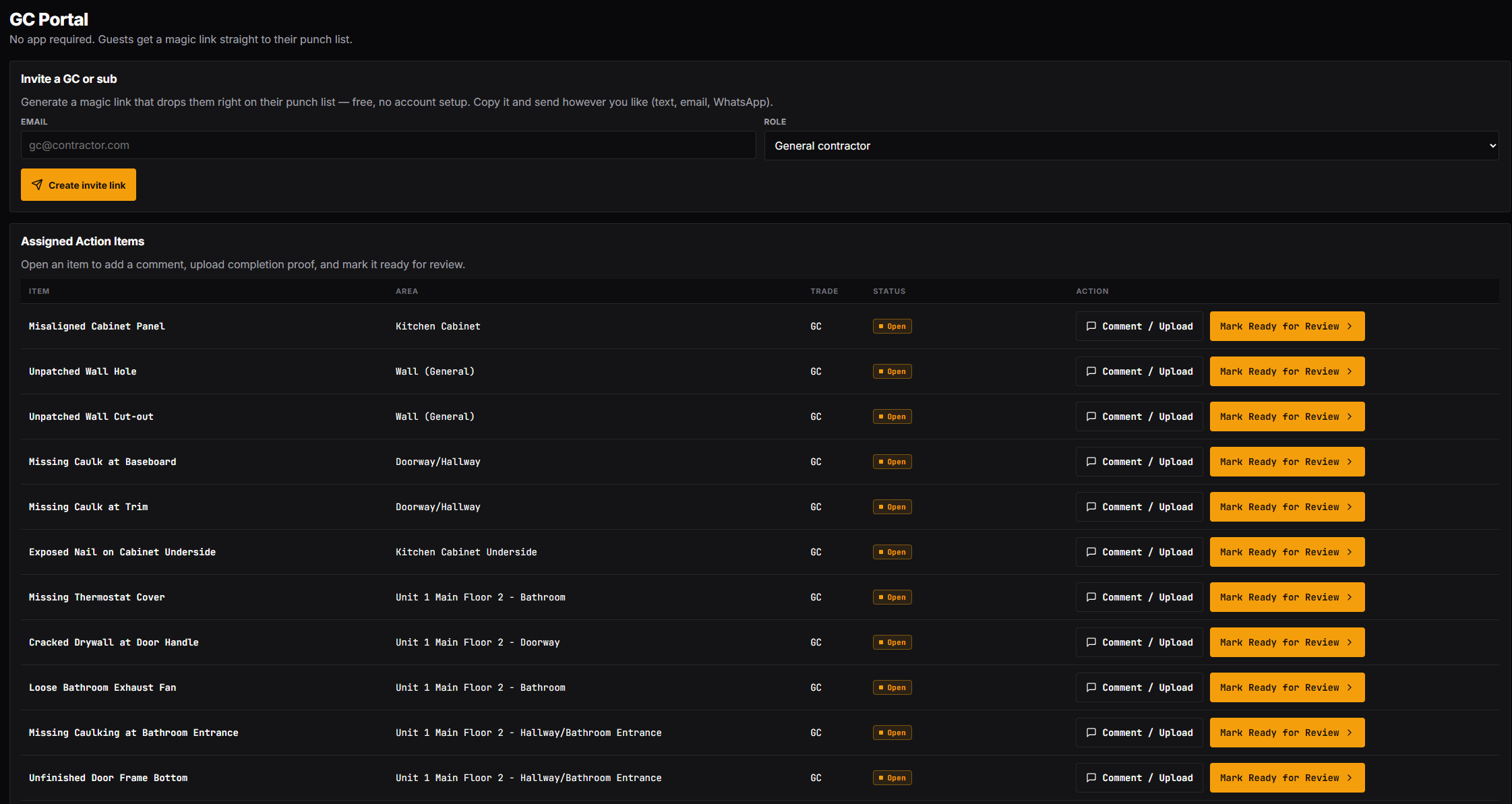
GC portal
GC portalAssign to your GC for free. They comment, upload proof, and mark items ready — no app.
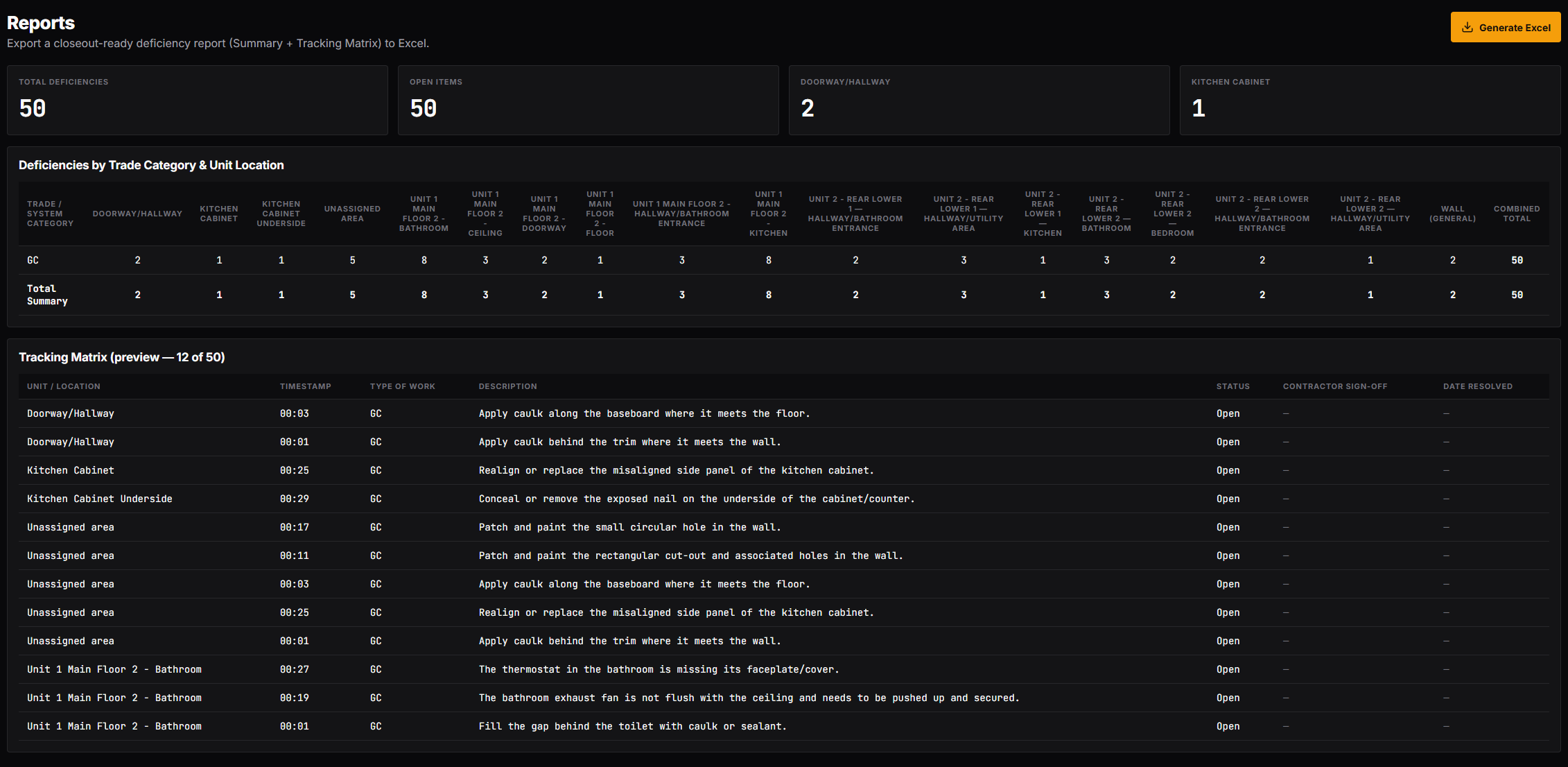
Closeout reports
Closeout reportsOne click turns the live data into a closeout-ready Excel report.
Built for owners

Made for small multifamily developers.

Not a big-GC field platform. CloseoutIQ is for the owner-developer of small apartment buildings who needs the last mile of closeout to actually close — remotely, with evidence.

  • Hours of admin savedNo re-watching videos or typing up spreadsheets — the list compiles and sends itself.
  • Faster closeoutCut weeks off the punch-list phase with one shared, current list.
  • Protected retainage and holdbackRelease final draws on time, backed by proof each item is fixed.
  • Evidence-backed accountabilityEvery assignment, due date, and days-late count is on the record.
  • Remote verificationApprove fixes from your desk — no daily drive to the site.
  • AI does the tedious list-makingTurn a raw walkthrough into a structured list without manual data entry.
On the roadmap

One walkthrough. Five deliverables.

The same structured deficiency data produces different outputs without changing how you capture — one set of data, five audiences: GC, owner, lender, investor, and property manager.

Live now

GC punch list

For the general contractor

  • Only their assigned items
  • Comment + upload completion proof
  • Mark ready for your review
Phase 2

Owner report

For the owner / developer

  • Simple dashboard
  • Open items + high priority
  • Progress at a glance
Phase 2

Lender draw package

For the construction lender

  • Photos + deficiencies
  • Progress summary
  • Signed inspection — PDF-ready
Phase 2

Investor update

For the investors

  • “Week 18 — interior painting started”
  • 37 identified · 14 resolved
  • Mechanical substantially complete
Phase 2

Warranty package

For the property manager

  • Everything approved, photos archived
  • Date completed + contractor responsible
  • Warranty expiration tracked

Close out your next building with proof, not promises.

Start with one walkthrough. Bring your GC on for free. See your holdback release on time.

Sign up